
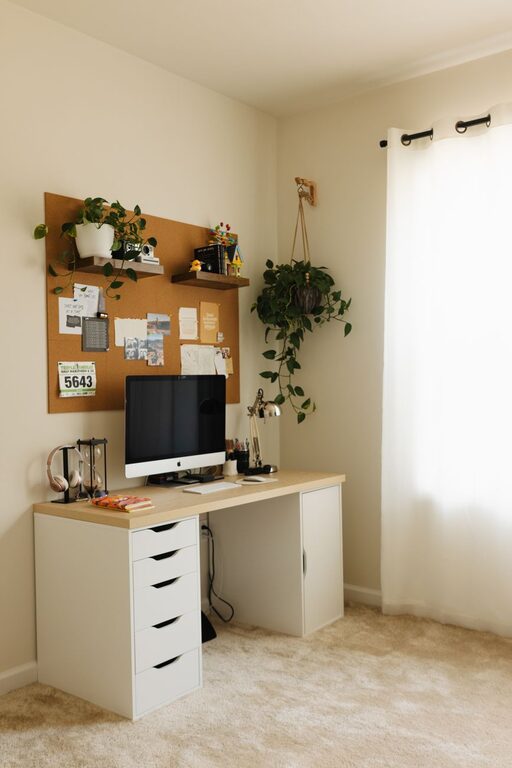
Creating a comfortable and productive home office space is essential for anyone working remotely or managing tasks from home. A well-designed workspace not only enhances focus and efficiency but also supports your overall well-being. Whether you have a dedicated room or a small corner, you can transform your space into a functional home office with a few thoughtful adjustments. Here are some practical tips to help you get started.
Choose the Right Location
Selecting the right spot for your home office is the first step. Ideally, choose a quiet area with minimal foot traffic to reduce distractions. Natural light is a great bonus—it boosts mood and energy levels. If possible, position your desk near a window to take advantage of daylight without causing glare on your screen.
Consider Space and Privacy
– If you have a spare room, dedicate it as your office.
– For smaller spaces, use room dividers or screens for separation.
– Make sure the area allows privacy, especially for video calls or concentration.
Invest in Ergonomic Furniture
Comfort is crucial when you spend hours at a desk. Ergonomic furniture helps prevent strain and injury, improving your focus and productivity.
Desk and Chair
– Choose a desk with enough surface area for your computer and accessories.
– An adjustable chair with good lumbar support reduces back pain.
– Consider a sit-stand desk to vary your posture throughout the day.
Accessories
– A keyboard and mouse designed to fit your hand comfortably can reduce strain.
– Use a laptop stand to elevate your screen to eye level and avoid neck pain.
– Add a footrest if your feet don’t comfortably reach the floor.
Organize for Efficiency
A clutter-free environment helps maintain focus and reduces stress. Organize your office with practical storage solutions to keep essential items within reach.
Storage Tips
– Use shelves or filing cabinets to store documents and supplies.
– Keep your desktop tidy with cable organizers or trays.
– Label storage bins and folders for easy identification.
Digital Organization
– Declutter your computer desktop and organize files in folders.
– Use productivity apps for task management and calendar scheduling.
– Back up important documents regularly to avoid data loss.
Pay Attention to Lighting
Good lighting is vital to reduce eye strain and create a welcoming atmosphere.
Natural and Artificial Lighting
– Maximize natural light, but use curtains or blinds to prevent glare.
– Use adjustable desk lamps with soft white light for evening work.
– Consider ambient lighting to reduce contrast between screens and surroundings.
Personalize Your Space
Adding personal touches can make your office more inviting, which encourages you to spend time there and feel motivated.
Décor Ideas
– Include plants for a touch of nature and improved air quality.
– Hang artwork or inspiring quotes for motivation.
– Choose colors that promote calmness and focus, such as blues and greens.
Minimize Noise Distractions
Noise can disrupt concentration. Find ways to soften background sounds or block them out.
Noise Control Tips
– Use noise-cancelling headphones during calls or focused work.
– Add rugs, curtains, or acoustic panels to absorb sound.
– Communicate your work schedule to family members or housemates to minimize interruptions.
Maintain Good Air Quality and Temperature
A comfortable temperature and fresh air enhance your ability to concentrate and reduce fatigue.
– Keep windows open when weather permits to circulate fresh air.
– Use a fan or portable heater as needed to maintain comfortable warmth or cooling.
– Consider an air purifier if you have allergies or live in a polluted area.
Establish a Routine and Boundaries
Finally, your workspace is not just physical—it’s also about how you use it.
– Set regular work hours, and stick to them.
– Take breaks to stretch and rest your eyes.
– Avoid working from areas associated with relaxation, like your bed.
—
By combining these tips, you can create a home office space that supports both comfort and productivity. Remember, the best workspace suits your individual needs and preferences, so don’t hesitate to adjust your setup as you go. A thoughtfully designed home office can make working from home more enjoyable and effective.